10 Video Translation Tools Reviewed: Features and Hidden Costs
Mahnoor Shahid Product Marketer at Echo9 – 2 years of experience in video localization, evaluating dubbing and subtitling tools for streaming and e-learning clients. Last updated on September 2026. Video translation tools have become a practical need for anyone creating content for more than one audience. Whether it is a product demo, training video, online course, webinar, social video or entertainment clip, language can decide how far that content travels and how well it connects with viewers. Today’s best AI video translator tools go beyond basic subtitles – combining automatic translation, voice cloning, and lip-sync to produce a dubbed video that feels native in any language. But as the sections below show, very few are built to keep that quality consistent once you move from a single video to a full season or course. In this guide, we review 10 video translation tools based on what they offer, who they are best for and the hidden costs that may not appear on the pricing page. Quick answer If you need to localize a single video or a short one-off campaign, budget-friendly tools like HeyGen, Dubverse, or Maestra can get you a translated, subtitled, or dubbed video fast. If you’re managing a recurring show, course, or multi-episode series where voices, terminology, and quality need to stay consistent episode after episode, Echo9’s Series Management is built specifically for that – most tools on this list, including strong single-video options like Rask AI and ElevenLabs, are built around one file at a time rather than an ongoing series. Why Video Translation Tools Are Becoming Essential Video translation tools are becoming essential because video is no longer created for one language, one region or one audience. A product demo, training video, YouTube episode, online course, webinar or entertainment clip can now reach viewers across different countries, but only if the language barrier is handled properly. For many teams, this starts with a simple need: translate one video quickly. They may need subtitles in another language, a dubbed voiceover or a version that feels easier for international viewers to understand. This is where video translation tools can help. They make it faster to convert spoken content into subtitles, translated scripts and in some cases, AI-generated dubbing. The challenge is that speed alone is not enough. A translated video still needs accurate meaning, readable subtitles, natural voices, correct timing and consistent terminology. For recurring content, such as a series, course, campaign or multi-episode show, the workflow becomes even more important. That is why the conversation around video translation tools is shifting from “Which tool is fastest?” to “Which tool protects quality, consistency and cost as content grows?” This is also where hidden costs begin to appear, especially when teams rely on separate tools for translation, dubbing, review and version control. What to Look For in a Video Translation Tool The best video translation tool should do more than convert speech from one language to another. It should support the full localization workflow, from subtitles and dubbing to review, editing and final delivery. Before choosing a tool, teams should look at how well it handles quality, scale and long-term content needs. Translation, Subtitling and Dubbing Support: The tool should support accurate translation, subtitle generation and dubbing in multiple languages. Some tools only handle subtitles, while others offer AI dubbing, voiceover or translated captions. For recurring content, it should also help maintain consistent terminology, speaker names and style across videos. Voice Quality, Lip-Sync, and Editing Control: Translated videos need to sound natural, not just accurate. Look for clear AI voices, speaker matching, voice cloning and lip-sync support where needed. Teams should also be able to edit subtitles, refine timing, review scripts and correct dubbing before final delivery. Pricing, Scalability, and Workflow Fit: The listed price is not always the full cost. Extra time spent moving files, checking versions, repeating reviews or fixing errors can add up quickly. A simple tool may work for occasional videos, but recurring or episodic content needs stronger collaboration, QA, version control and consistency. How We Compared These Video Translation Tools We evaluated each AI video translator on seven criteria: translation accuracy, voice cloning quality, lip-sync precision, editing controls, language support, ease of use, and pricing – the same factors that matter most once you move from a demo to real production use. Here is the quick comparison built from the pricing and positioning already stated in each tool’s section further down the page – nothing new invented here, just pulled to the top where it’s scannable. Pricing and feature availability accurate as of September 2026 – always confirm current rates directly with each provider before deciding. Tool Best For Lip-Sync Voice Cloning Starting Price Echo9 Episodic & recurring content Yes Yes Custom HeyGen Creators, single-video projects Yes Yes Free / $29/mo Rask AI Broad language coverage, fast dubbing Yes Yes Free trial / $60/mo Maestra Transcription & subtitle-first Paid plans only Not specified $12/mo ElevenLabs Dubbing Studio Voice-quality-first dubbing No Yes Free / $6/mo VEED.io Social & short-form editing Yes Yes $10/mo per editor DeepDub Film/TV & professional dubbing Yes Yes Custom Dubverse Quick dubbing & subtitles Yes Not specified $18/mo Synthesia Corporate training, avatars Yes Yes Free / $29/mo Murf AI Voiceover-led narration No Not specified Free / $19/mo What we found was that many tools solve one part of the problem well, but most are not built for the full localization workflow. A tool may translate a video quickly, but teams still need to manage subtitle review, dubbing corrections, version changes, approvals, quality checks, and consistency across languages. That gap is why Echo9 was built differently. Instead of treating every video as a separate file, Echo9 is designed for recurring localization workflows where quality, consistency, review, and delivery need to stay connected across multiple videos and languages. 10 Video Translation Tools Reviewed Below is a practical review of 10 video translation tools teams commonly consider for subtitles, dubbing, voiceover and multilingual video workflows. Each tool is reviewed by what it
Table of Contents
Mahnoor Shahid
Product Marketer at Echo9 – 2 years of experience in video localization, evaluating dubbing and subtitling tools for streaming and e-learning clients.
Last updated on September 2026.
Video translation tools have become a practical need for anyone creating content for more than one audience. Whether it is a product demo, training video, online course, webinar, social video or entertainment clip, language can decide how far that content travels and how well it connects with viewers.
Today’s best AI video translator tools go beyond basic subtitles – combining automatic translation, voice cloning, and lip-sync to produce a dubbed video that feels native in any language. But as the sections below show, very few are built to keep that quality consistent once you move from a single video to a full season or course.
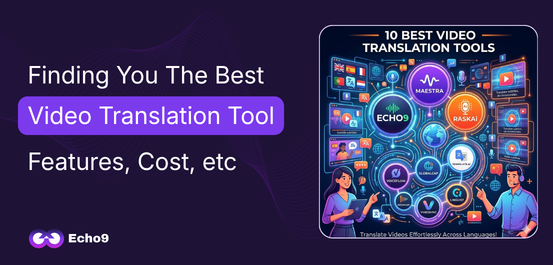
In this guide, we review 10 video translation tools based on what they offer, who they are best for and the hidden costs that may not appear on the pricing page.
Quick answer
If you need to localize a single video or a short one-off campaign, budget-friendly tools like HeyGen, Dubverse, or Maestra can get you a translated, subtitled, or dubbed video fast. If you’re managing a recurring show, course, or multi-episode series where voices, terminology, and quality need to stay consistent episode after episode, Echo9’s Series Management is built specifically for that – most tools on this list, including strong single-video options like Rask AI and ElevenLabs, are built around one file at a time rather than an ongoing series.
Why Video Translation Tools Are Becoming Essential
Video translation tools are becoming essential because video is no longer created for one language, one region or one audience. A product demo, training video, YouTube episode, online course, webinar or entertainment clip can now reach viewers across different countries, but only if the language barrier is handled properly.
For many teams, this starts with a simple need: translate one video quickly. They may need subtitles in another language, a dubbed voiceover or a version that feels easier for international viewers to understand. This is where video translation tools can help. They make it faster to convert spoken content into subtitles, translated scripts and in some cases, AI-generated dubbing.
The challenge is that speed alone is not enough. A translated video still needs accurate meaning, readable subtitles, natural voices, correct timing and consistent terminology. For recurring content, such as a series, course, campaign or multi-episode show, the workflow becomes even more important.
That is why the conversation around video translation tools is shifting from “Which tool is fastest?” to “Which tool protects quality, consistency and cost as content grows?” This is also where hidden costs begin to appear, especially when teams rely on separate tools for translation, dubbing, review and version control.
What to Look For in a Video Translation Tool
The best video translation tool should do more than convert speech from one language to another. It should support the full localization workflow, from subtitles and dubbing to review, editing and final delivery. Before choosing a tool, teams should look at how well it handles quality, scale and long-term content needs.
Translation, Subtitling and Dubbing Support: The tool should support accurate translation, subtitle generation and dubbing in multiple languages. Some tools only handle subtitles, while others offer AI dubbing, voiceover or translated captions. For recurring content, it should also help maintain consistent terminology, speaker names and style across videos.
Voice Quality, Lip-Sync, and Editing Control: Translated videos need to sound natural, not just accurate. Look for clear AI voices, speaker matching, voice cloning and lip-sync support where needed. Teams should also be able to edit subtitles, refine timing, review scripts and correct dubbing before final delivery.
Pricing, Scalability, and Workflow Fit: The listed price is not always the full cost. Extra time spent moving files, checking versions, repeating reviews or fixing errors can add up quickly. A simple tool may work for occasional videos, but recurring or episodic content needs stronger collaboration, QA, version control and consistency.
How We Compared These Video Translation Tools
We evaluated each AI video translator on seven criteria: translation accuracy, voice cloning quality, lip-sync precision, editing controls, language support, ease of use, and pricing – the same factors that matter most once you move from a demo to real production use.
Here is the quick comparison built from the pricing and positioning already stated in each tool’s section further down the page – nothing new invented here, just pulled to the top where it’s scannable.
Pricing and feature availability accurate as of September 2026 – always confirm current rates directly with each provider before deciding.
Tool
Best For
Lip-Sync
Voice Cloning
Starting Price
Echo9
Episodic & recurring content
Yes
Yes
Custom
HeyGen
Creators, single-video projects
Yes
Yes
Free / $29/mo
Rask AI
Broad language coverage, fast dubbing
Yes
Yes
Free trial / $60/mo
Maestra
Transcription & subtitle-first
Paid plans only
Not specified
$12/mo
ElevenLabs Dubbing Studio
Voice-quality-first dubbing
No
Yes
Free / $6/mo
VEED.io
Social & short-form editing
Yes
Yes
$10/mo per editor
DeepDub
Film/TV & professional dubbing
Yes
Yes
Custom
Dubverse
Quick dubbing & subtitles
Yes
Not specified
$18/mo
Synthesia
Corporate training, avatars
Yes
Yes
Free / $29/mo
Murf AI
Voiceover-led narration
No
Not specified
Free / $19/mo
What we found was that many tools solve one part of the problem well, but most are not built for the full localization workflow. A tool may translate a video quickly, but teams still need to manage subtitle review, dubbing corrections, version changes, approvals, quality checks, and consistency across languages.
That gap is why Echo9 was built differently. Instead of treating every video as a separate file, Echo9 is designed for recurring localization workflows where quality, consistency, review, and delivery need to stay connected across multiple videos and languages.
10 Video Translation Tools Reviewed
Below is a practical review of 10 video translation tools teams commonly consider for subtitles, dubbing, voiceover and multilingual video workflows. Each tool is reviewed by what it does, pricing, best-fit use case and the hidden workflow factors so let’s dig into the tools:
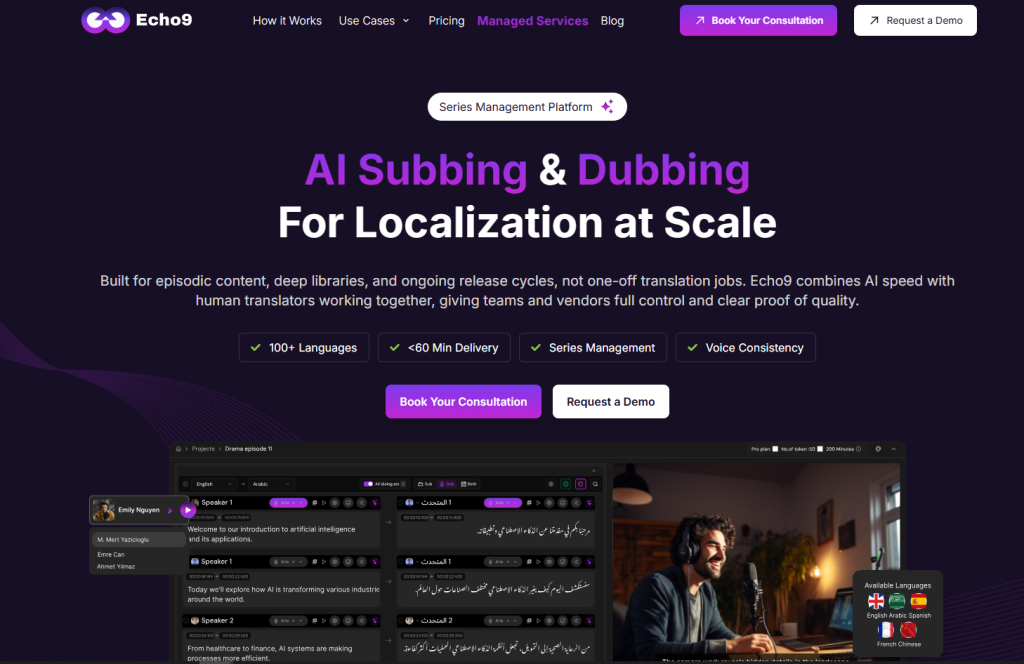
Echo9 is the only AI video localization platform built specifically for episodic and recurring content. Where every other tool processes videos one file at a time, Echo9 manages entire seasons as a single connected workflow.
What it does differently: Its Series Management feature is what no competitor has. Upload a series, map characters to speakers, assign emotion tags to individual dialogue lines, and Echo9 carries those decisions – voices, terminology, tone – across every episode automatically. When a line doesn’t sound right, the built-in rephrasing engine offers three alternatives. When lip-sync needs a human eye, a pending review system flags it before anything ships. The result is a full localization pipeline: subtitling, AI dubbing, editing, QA, and delivery, that gets smarter with every episode instead of starting from scratch each time.
Pricing:
Custom pricing based on content volume, languages, and workflow scope
Built for teams with recurring localization needs, not one-time projects
Best for:
Streaming platforms and media companies
E-learning and training content teams
Production teams managing episodic content
Brands localizing recurring video campaigns
Teams that need quality control and consistency across a content series
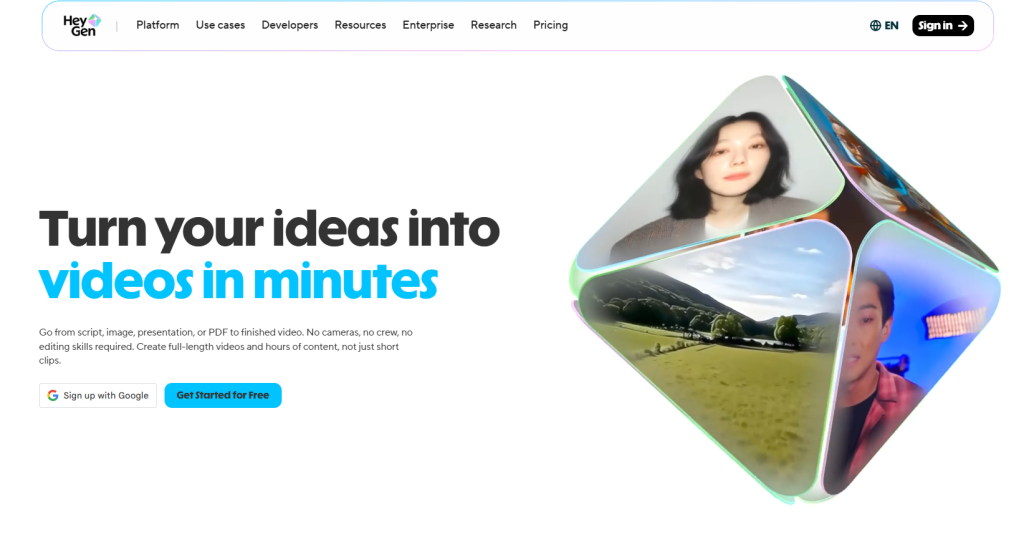
HeyGen is a popular AI video platform known for avatar videos, video translation, voice cloning, subtitles and lip-sync. For teams that want to quickly turn a single video into different language versions, it offers a simple way to translate, dub and visually sync speech without a full production setup.
What it does: HeyGen helps users translate videos, generate subtitles, preserve or clone voices and apply lip-sync to make translated speech look more natural on screen.
Pricing:
Free plan available
Creator starts at $29/month
Pro starts at $99/month
Some translation and premium features may depend on usage limits or credits
Best for:
Creators and marketers
Training and explainer videos
Short business videos
Single-video translation projects
What it does not tell you: HeyGen is useful for fast video translation, but recurring content can still require extra workflow management. If your team needs consistent terminology, subtitle approvals, voice consistency, version control or quality checks across many episodes, those steps may need to be handled outside the tool. That is where hidden costs can appear through rework, manual tracking and repeated review cycles.
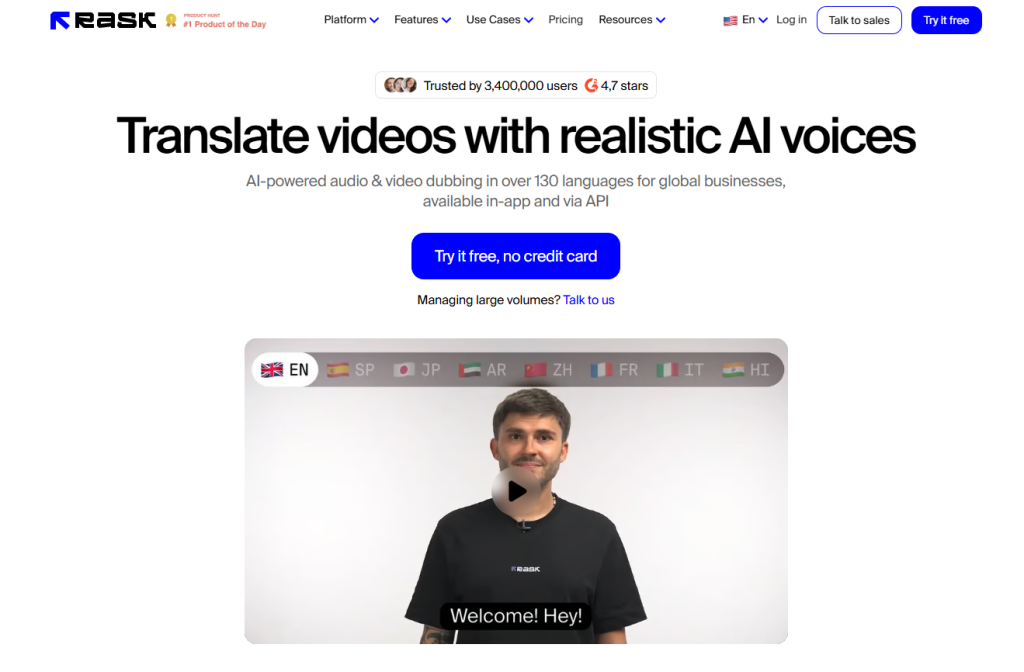
Rask AI is a video and audio localization platform focused on fast translation, dubbing, subtitles, voice cloning and lip-sync. It supports video translation into 135+ languages and voice cloning in 32 languages, making it useful for teams that need quick multilingual versions of existing content.
What it does: Rask AI helps users translate videos, generate captions, create dubbed audio, clone voices, detect multiple speakers and apply lip-sync to translated videos. It also offers editing controls for transcripts, subtitles and timing adjustments.
Pricing:
Free trial available with 3 minutes included
Creator starts at $60/month with 25 minutes included
Creator Pro starts at $150/month with 100 minutes included
Business starts at $750/month with 500 minutes included
Enterprise pricing is custom, starting from 2,000 minutes per month
Best for:
Content creators and educators
Marketing and training videos
Fast dubbing and subtitle generation
Teams that need multi-language translation for individual videos
What it does not tell you: Rask AI is strong for quick translation and dubbing, but larger recurring workflows may still need extra management. If a team is handling many episodes, multiple reviewers, repeated approvals, changing scripts or strict version control, the hidden cost may come from coordinating those steps outside the tool. This can add review time, rework and consistency issues across a larger content library.
Maestra is an AI media localization tool focused on transcription, subtitles, voiceover and real-time translation. It supports 125+ languages and is useful for turning audio or video files into transcripts, captions, translated subtitles or AI voiceovers.
What it does: Maestra helps users transcribe videos, generate subtitles, translate captions, create AI voiceovers and edit/export localized files.
Pricing:
Pay as you go: $12/month
Lite: $29/month
Basic: $49/month
Premium: $99/month
Enterprise pricing is custom
Best for:
Transcription and captions
Subtitle translation
Voiceover projects
Training, education and creator content
What it does not tell you: Maestra is useful for file-based transcription and subtitle workflows, but teams managing recurring content may still need separate processes for approvals, version control, voice consistency and quality checks across multiple videos.
ElevenLabs is best known for high-quality AI voice generation and its Dubbing Studio extends that strength into video and audio translation. It is designed to translate and dub content while preserving the original speaker’s voice, tone and delivery style across 29 languages.
What it does: ElevenLabs Dubbing Studio translates audio or video, handles multiple speakers, preserves voice style and lets users edit dubbed output for more control.
Pricing:
Free plan available
Starter starts at $6/month
Creator starts at $22/month
Pro starts at $99/month
Scale and Business plans are available for larger teams
Best for:
High-quality AI voice dubbing
Podcasts, interviews, lectures and creator videos
Teams that care most about natural voice output
What it does not tell you: ElevenLabs is strong for voice quality, but teams may still need separate workflows for subtitle review, approvals, version tracking and consistency across recurring or episodic content. For multi-language projects, costs can also increase because dubbing is charged per output language
VEED.io is a browser-based video editing platform with built-in tools for subtitles, translation, dubbing and social video creation. Its video translator supports subtitles in 125+ languages and voice preservation across 29 languages, making it useful for quick multilingual edits.
What it does: VEED.io lets users edit videos, generate subtitles, translate captions, add AI dubbing, enable lip-sync, and export videos for different platforms.
Pricing:
Creator starts at $10/month per editor
Pro starts at $21/month per editor
Studio starts at $35/month per editor
Best for:
Social media videos
Short marketing content
Subtitle translation
Simple editing and repurposing workflows
What it does not tell you: VEED.io is helpful for quick edits and file-based localization, but recurring content may still need separate review, QA, version control and consistency checks across multiple videos or languages.
DeepDub is an AI dubbing and localization platform built mainly for professional media, including film, TV, entertainment, FAST channels, corporate training and language service providers.
What it does: DeepDub provides AI-driven dubbing, voice referencing, accent control, speech-to-speech, and emotional text-to-speech for localized voiceovers.
Pricing:
Custom pricing
Best for:
Film and TV localization
Streaming and FAST channels
Professional dubbing workflows
Media companies needing high-quality voice localization
What it does not tell you: DeepDub is positioned for premium dubbing, but teams may still need to evaluate how much control they get over subtitles, approvals, version management and recurring episode-level consistency. These workflow details can affect the real cost beyond the quoted service or platform price.
Dubverse is an AI video localization platform focused on dubbing, subtitles, text-to-speech, transcript generation and video translation. It is designed for users who want to create multilingual versions of videos quickly without a traditional dubbing setup.
What it does: Dubverse helps users dub videos, generate subtitles, create AI voiceovers, translate transcripts and prepare localized video files.
Pricing:
Pro: $18 per month
Supreme: $30 per month
Best for:
Creators and marketers
Educational videos
Quick subtitle and dubbing tasks
Short-form or file-based localization
What it does not tell you: Dubverse is useful for quick dubbing and subtitles, but teams may still need separate review, QA, version control and consistency checks when managing recurring content or multi-language video libraries.
Synthesia is an AI video platform best known for avatar-based video creation, training videos and business communication. Its video translator supports 130+ languages, with voice cloning, lip-sync and automatic subtitles for dubbed versions.
What it does: Synthesia helps users create AI avatar videos, translate existing videos, generate dubbed versions, preserve speaker identity, and add subtitles.
Pricing:
Free plan available
Starter starts at $29/month
Creator starts at $89/month
Enterprise pricing is custom
Best for:
Corporate training videos
Business explainers
AI avatar videos
Multilingual internal communication
What it does not tell you: Synthesia works well for structured business videos, but teams managing recurring shows, courses or multi-episode content may still need separate workflows for subtitle review, voice consistency, approvals and version control.
Murf AI is mainly known as an AI voiceover and text-to-speech platform, but it also offers video translation and AI dubbing. It supports dubbing in 40+ languages and is useful for teams creating narrated videos, explainers, training content and marketing videos.
What it does: Murf AI helps users create AI voiceovers, translate videos, generate dubbed audio, adjust voice style, and produce narrated content with natural-sounding voices.
Pricing:
Free plan available
Creator starts from $19/month
Business starts from $66/month
Enterprise pricing is custom
Best for:
Voiceovers and narration
Training and explainer videos
Marketing videos
Content that needs polished AI voices
What it does not tell you: Murf AI is useful for voice-led content, but teams managing recurring video localization may still need separate workflows for subtitle review, approvals, version control and consistency across multiple videos or languages.
Choose the Tool That Fits Your Workflow
The best video translation tool is not always the one with the longest feature list or the lowest starting price. For occasional single videos, one-off tools can be fast, practical and easy to use. They help teams translate content, generate subtitles, create dubbed audio and publish multilingual videos without a heavy setup.
But as content volume grows, the real challenge is no longer just translation. It is managing quality, approvals, version control, voice consistency, subtitle updates and delivery across multiple languages and episodes. These hidden costs often do not appear on pricing pages, but they can affect timelines, budgets and final output quality.
If your team is localizing recurring content, courses, campaigns or episodic video libraries, a connected workflow becomes more valuable than a standalone tool. Echo9 is built for that need, bringing subtitling, AI dubbing, review, editing and Series Management into one structured localization workflow.
Free Trial
Run one episode through the full pipeline.
All eight stages on your own content — upload to broadcast-ready audio. No credit card, no managed-service queue.
Video translation tools help convert video content into other languages through subtitles, dubbing, voiceover, transcription, or translated captions. Some tools focus on quick file-based translation, while others support larger localization workflows.
Are Video Translation Tools Good for Professional Localization?
Yes, but it depends on the tool and the workflow. Some tools work well for simple videos, while professional localization often needs review, quality checks, editing control, and consistency across languages.
What Hidden Costs Should Teams Watch For?
Common hidden costs include repeated corrections, manual file transfers, subtitle and dubbing mismatches, version confusion, approval delays, and extra QA work across multiple languages.
Which Video Translation Tool Is Best for Occasional Videos?
For occasional single videos, tools like HeyGen, Rask AI, Maestra, VEED.io, or Dubverse can be useful depending on whether you need subtitles, dubbing, voiceover, or quick editing.
Which Tool Is Better for Recurring or Episodic Content?
For recurring or episodic content, teams should look for a platform that supports consistency, review, version control, and multi-video workflows. Echo9 is built for this use case through its Series Management and connected localization workflow.
Why Does Series Management Matter in Video Localization?
Series Management helps maintain consistent voices, terminology, subtitle decisions, character style, and approvals across multiple episodes or content batches. This is especially important for shows, courses, campaigns, and long-form video libraries.
Can I Translate a YouTube Video Directly?
Some standalone tools let you paste in a YouTube link and translate it directly. For platforms like Echo9 built around recurring or episodic workflows, downloading the source file first and uploading it keeps quality and consistency controls intact across a full series rather than handling one video at a time.