A subtitle file may look like a simple text document, but it contains the information a video player needs to display dialogue at the right moment. For localization teams, broadcasters, content creators, and streaming platforms, choosing the right subtitle file format can make the difference between a smooth delivery and unnecessary technical issues. Among the most commonly encountered formats are SRT, VTT, and CSV. Each one serves a different purpose. SRT is widely used for basic subtitle delivery, VTT is designed for web-based video and supports richer cue features, while CSV is better understood as a structured data format that can be used to exchange subtitle-related information rather than a standard subtitle format itself. Understanding these differences helps teams prepare files correctly, avoid compatibility problems, and build more reliable localization workflows. What Is a Subtitle File? A subtitle file contains timed text that tells a video player what to display and when to display it. Instead of permanently adding text to the video itself, subtitles are normally stored separately and synchronized with the video’s timeline. A typical subtitle file contains three important elements: the text, the timing information, and the structure required by the selected format. Timing tells the player when a subtitle should appear and disappear, while the text provides the dialogue or other relevant information viewers need. For localization teams, subtitle files are especially important because the same video may need to be delivered in several languages. Each language version can have its own subtitle file while using the same source video. The format becomes important at the delivery stage. A file that works perfectly in one platform may need to be converted or adjusted before it can be used somewhere else. That is why knowing the differences between SRT, VTT, and CSV is useful for anyone working with multilingual video content. See this on your own episode. One scene, one language, 30 minutes with an engineer. Book a Consultation SRT: The Most Common Subtitle Format SRT, short for SubRip Subtitle, is one of the most widely recognized subtitle formats. Its simple structure makes it easy to create, edit, and process across many subtitle tools and video workflows. An SRT file normally contains a sequence number, a start and end time, and the subtitle text. Each subtitle entry is separated from the next one by a blank line. A simplified SRT entry looks like this: The comma used in the timecode is one of the familiar characteristics of SRT files. Because the structure is straightforward, SRT remains a practical choice for many basic subtitling and localization tasks. Why Teams Still Use SRT SRT works well when the primary requirement is accurate, timed subtitle text without complex positioning or web-specific styling. Its biggest advantage is simplicity. Editors can open an SRT file in a text editor, subtitle software, or localization platform and quickly understand how the file is structured. For a single video, training material, interview, or basic localized version, that simplicity can make production easier. The format is also widely supported, which reduces compatibility concerns across many common video workflows. However, SRT has limitations. It does not provide the same range of web-focused features available in WebVTT. When teams need more control over subtitle positioning, styling, or browser-based video behavior, another format may be more appropriate. VTT: Built for Web Video VTT, or WebVTT (Web Video Text Tracks), was designed for displaying timed text alongside web video. The format is closely associated with HTML5 video and the <track> element, making it particularly useful for browser-based video experiences. A WebVTT file begins with the WEBVTT header and then contains timed cues. According to the official W3C WebVTT Specification, its structure can support subtitles, captions, chapters, and other time-aligned metadata blocks. A basic VTT example looks like this: Notice the difference in the time format. VTT commonly uses a period before the milliseconds, while the example SRT structure uses a comma. Beyond timing, WebVTT can support additional cue information and presentation-related features. That flexibility makes it useful for websites, online learning platforms, streaming experiences, and other browser-based video environments. CSV: Useful for Subtitle Data and Workflows CSV, or Comma-Separated Values, is different from SRT and VTT. CSV is not primarily a subtitle playback format. Instead, it is a structured way of storing information in rows and columns. Subtitle teams may use CSV files to organize or exchange subtitle-related data such as timestamps, speaker information, language versions, or translation content. For example, a CSV workflow might contain columns such as: This structure can be useful when subtitle data needs to move between spreadsheets, databases, localization systems, or custom processing tools. The important distinction is that a CSV file usually needs another system or process to interpret its information as subtitles. You generally would not upload an ordinary CSV file to a video player and expect it to behave like an SRT or VTT file. That makes CSV particularly useful for data management and workflow exchange, while SRT and VTT are intended for timed-text delivery. SRT vs VTT vs CSV: Key Differences Feature SRT VTT CSV Main purpose Subtitle delivery Web video text tracks Structured data exchange Common use Video subtitles Web video and captions Subtitle data/workflows Timecodes Yes Yes Can store them as data Web-focused Limited Yes No Easy to edit manually Yes Yes Yes Browser video support Depends on platform Strong Requires processing Rich cue features Limited More flexible Depends on workflow The simplest way to remember the distinction is this: SRT is a practical subtitle format, VTT is a web-oriented timed-text format, and CSV is a data format that can organize subtitle information. For a deeper understanding of how subtitles fit into localization, explore Types of Video Localization and What Is Media Localization. Which Subtitle Format Should You Choose? Selecting a format should start with the delivery environment, not simply the file extension. If a client specifically requests an SRT file, delivering a VTT file instead may create an unnecessary compatibility problem. Likewise, a web development workflow may
Table of Contents
A subtitle file may look like a simple text document, but it contains the information a video player needs to display dialogue at the right moment. For localization teams, broadcasters, content creators, and streaming platforms, choosing the right subtitle file format can make the difference between a smooth delivery and unnecessary technical issues.
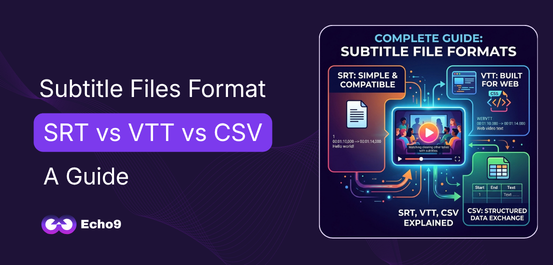
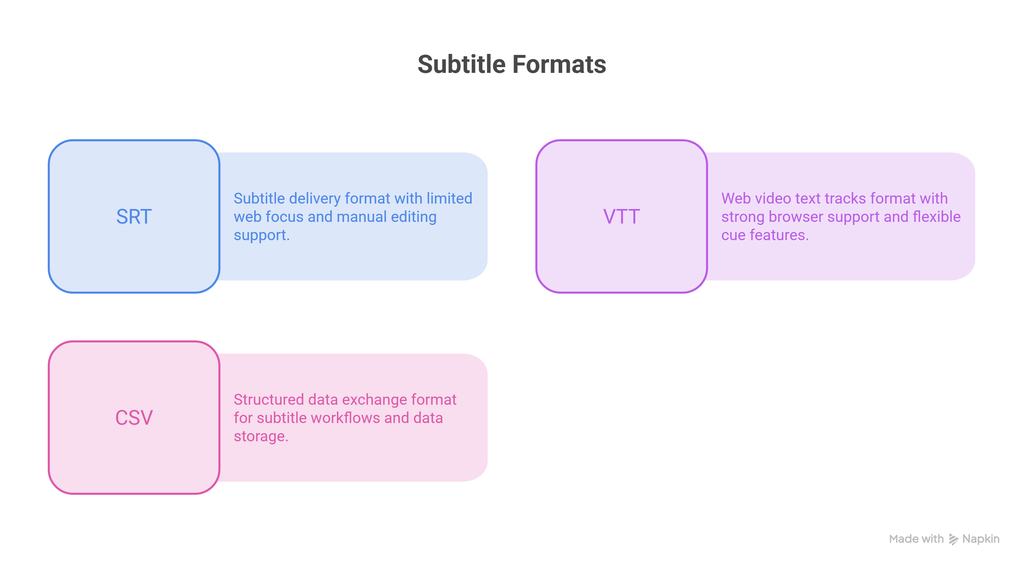
Among the most commonly encountered formats are SRT, VTT, and CSV. Each one serves a different purpose. SRT is widely used for basic subtitle delivery, VTT is designed for web-based video and supports richer cue features, while CSV is better understood as a structured data format that can be used to exchange subtitle-related information rather than a standard subtitle format itself.
Understanding these differences helps teams prepare files correctly, avoid compatibility problems, and build more reliable localization workflows.
What Is a Subtitle File?
A subtitle file contains timed text that tells a video player what to display and when to display it. Instead of permanently adding text to the video itself, subtitles are normally stored separately and synchronized with the video’s timeline.
A typical subtitle file contains three important elements: the text, the timing information, and the structure required by the selected format. Timing tells the player when a subtitle should appear and disappear, while the text provides the dialogue or other relevant information viewers need.
For localization teams, subtitle files are especially important because the same video may need to be delivered in several languages. Each language version can have its own subtitle file while using the same source video.
The format becomes important at the delivery stage. A file that works perfectly in one platform may need to be converted or adjusted before it can be used somewhere else. That is why knowing the differences between SRT, VTT, and CSV is useful for anyone working with multilingual video content.
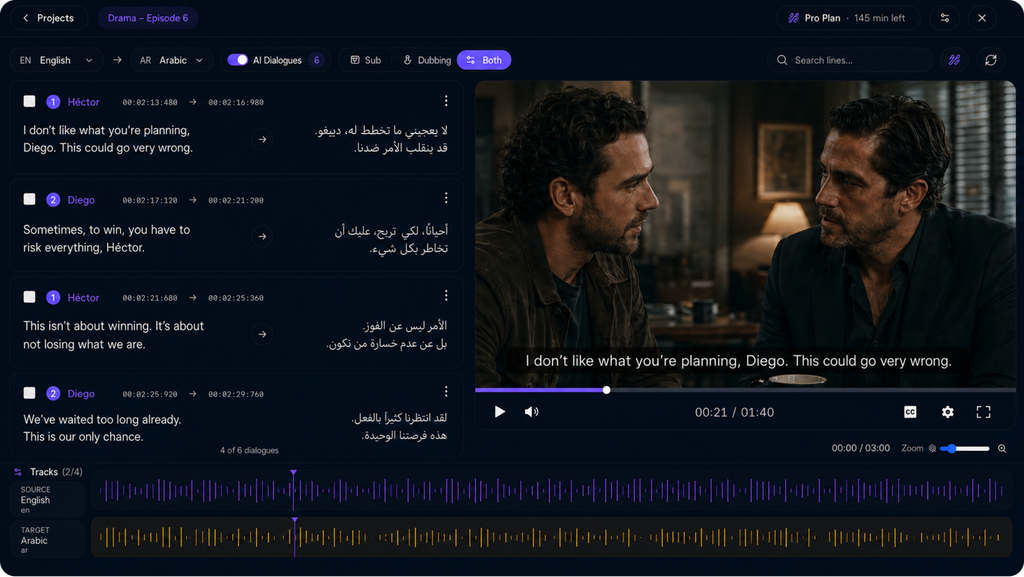
See this on your own episode.
One scene, one language, 30 minutes with an engineer.
SRT, short for SubRip Subtitle, is one of the most widely recognized subtitle formats. Its simple structure makes it easy to create, edit, and process across many subtitle tools and video workflows.
An SRT file normally contains a sequence number, a start and end time, and the subtitle text. Each subtitle entry is separated from the next one by a blank line.
A simplified SRT entry looks like this:
1
00:00:02,000 --> 00:00:05,000
Welcome to our video.

2
00:00:06,000 --> 00:00:09,000
Today, we will explore subtitle formats.
The comma used in the timecode is one of the familiar characteristics of SRT files. Because the structure is straightforward, SRT remains a practical choice for many basic subtitling and localization tasks.
Why Teams Still Use SRT
SRT works well when the primary requirement is accurate, timed subtitle text without complex positioning or web-specific styling.
Its biggest advantage is simplicity. Editors can open an SRT file in a text editor, subtitle software, or localization platform and quickly understand how the file is structured.
For a single video, training material, interview, or basic localized version, that simplicity can make production easier. The format is also widely supported, which reduces compatibility concerns across many common video workflows.
However, SRT has limitations. It does not provide the same range of web-focused features available in WebVTT. When teams need more control over subtitle positioning, styling, or browser-based video behavior, another format may be more appropriate.
VTT: Built for Web Video
VTT, or WebVTT (Web Video Text Tracks), was designed for displaying timed text alongside web video. The format is closely associated with HTML5 video and the <track> element, making it particularly useful for browser-based video experiences.
A WebVTT file begins with the WEBVTT header and then contains timed cues. According to the official W3C WebVTT Specification, its structure can support subtitles, captions, chapters, and other time-aligned metadata blocks.
A basic VTT example looks like this:
WEBVTT

00:00:02.000 --> 00:00:05.000
Welcome to our video.

00:00:06.000 --> 00:00:09.000
Today, we will explore subtitle formats.
Notice the difference in the time format. VTT commonly uses a period before the milliseconds, while the example SRT structure uses a comma.
Beyond timing, WebVTT can support additional cue information and presentation-related features. That flexibility makes it useful for websites, online learning platforms, streaming experiences, and other browser-based video environments.
CSV: Useful for Subtitle Data and Workflows
CSV, or Comma-Separated Values, is different from SRT and VTT.
CSV is not primarily a subtitle playback format. Instead, it is a structured way of storing information in rows and columns. Subtitle teams may use CSV files to organize or exchange subtitle-related data such as timestamps, speaker information, language versions, or translation content.
For example, a CSV workflow might contain columns such as:
This structure can be useful when subtitle data needs to move between spreadsheets, databases, localization systems, or custom processing tools.
The important distinction is that a CSV file usually needs another system or process to interpret its information as subtitles. You generally would not upload an ordinary CSV file to a video player and expect it to behave like an SRT or VTT file.
That makes CSV particularly useful for data management and workflow exchange, while SRT and VTT are intended for timed-text delivery.
SRT vs VTT vs CSV: Key Differences
Feature
SRT
VTT
CSV
Main purpose
Subtitle delivery
Web video text tracks
Structured data exchange
Common use
Video subtitles
Web video and captions
Subtitle data/workflows
Timecodes
Yes
Yes
Can store them as data
Web-focused
Limited
Yes
No
Easy to edit manually
Yes
Yes
Yes
Browser video support
Depends on platform
Strong
Requires processing
Rich cue features
Limited
More flexible
Depends on workflow
The simplest way to remember the distinction is this: SRT is a practical subtitle format, VTT is a web-oriented timed-text format, and CSV is a data format that can organize subtitle information.
Selecting a format should start with the delivery environment, not simply the file extension.
If a client specifically requests an SRT file, delivering a VTT file instead may create an unnecessary compatibility problem. Likewise, a web development workflow may benefit more from VTT because of its native integration with web video.
Teams handling large localization projects should also consider how subtitle files move through the workflow. A production pipeline may use one format during editing, another for web delivery, and structured data such as CSV for internal tracking or translation management.
For example, a localization team could maintain subtitle information in a structured workflow, review the translated text, export the final timed text, and then deliver the format required by the target platform.
The right choice therefore depends on four questions:
Where will the subtitles be used?
What format does the receiving platform require?
Does the workflow need advanced cue or web features?
Will subtitle data also need to be exchanged between teams or systems?
Answering these questions before production can prevent avoidable conversions and delivery errors.
Not Claims. Results.
Verified against real productions.
2.4M+Episodes processed
70+Languages delivered
<2%Word Error Rate
8–9/10Human review score
Run the same benchmarks on your own catalogue and compare the output yourself.
A subtitle file may contain perfectly translated text and still fail if its format does not match the requirements of the target platform. SRT is widely accepted for standard subtitle delivery, while WebVTT is designed for web video and timed-text tracks. Sending a CSV file where an actual subtitle file is required can also create compatibility problems.
Solution: Confirm the platform’s required subtitle format before production and convert the final file only when necessary.
2. Breaking Subtitle Timing
Accurate timing determines whether viewers see a subtitle at the same moment the dialogue is spoken. Incorrect start and end timecodes can make subtitles appear too early, remain on screen too long, or disappear before the viewer has enough time to read them.
Timing problems become harder to manage in long-form and multi-episode content because a small error can affect the flow of an entire sequence.
Solution: Review every subtitle cue against the source video and verify its in-point, out-point, and surrounding cues.
3. Reducing Readability
Readable subtitles require more than correct translation. Excessively long lines, awkward breaks, crowded text, or inconsistent formatting can make viewers spend more effort reading instead of following the video.
Language characteristics also matter. A translated sentence may require more space than the original dialogue, so directly carrying over the source-language line structure can create unnecessary visual clutter.
Solution: Review line length, breaks, punctuation, formatting, and on-screen readability during the final subtitle quality check.
4. Treating CSV as a Playback File
CSV can be extremely useful inside a localization workflow, but its role is different from SRT or VTT. A CSV may contain timestamps, speakers, source dialogue, translations, or language versions, making it convenient for organizing and exchanging subtitle information.
The mistake happens when this structured data is treated as if a video player can automatically interpret it as a finished subtitle track.
Solution: Use CSV for data organization or workflow management, then process or export the information into the subtitle format required for final delivery.
5. Skipping the Final Quality Review
A subtitle file can pass an initial translation check and still contain technical problems. Missing cues, incorrect timecodes, spelling mistakes, inconsistent terminology, duplicate lines, formatting issues, or an incorrect file version may only become visible during playback.
Solution: Complete a final QA pass that checks timing, translation, spelling, formatting, terminology, file structure, and playback before delivery.
How Subtitle Formats Fit Into Video Localization
Subtitle formatting is only one part of a complete localization workflow.
A professional process usually begins with understanding the source content, preparing the transcript, translating or adapting the dialogue, creating timed subtitles, reviewing the localized text, and delivering the correct file format.
The challenge becomes greater when the same content is produced repeatedly. Series, courses, documentaries, and large media libraries require consistent terminology, timing, formatting, and quality checks across many files.
That is where a structured localization workflow becomes valuable. Instead of treating every subtitle file as an isolated task, teams can manage language versions, reviews, terminology, and delivery requirements as part of a connected process.
Echo9’s approach to video localization focuses on this broader workflow, including subtitles, dubbing, review, and localization management. For teams working with recurring or multi-episode content, consistency across the entire project can matter just as much as the quality of an individual subtitle file.
Conclusion
Choosing between SRT, VTT, and CSV becomes much easier once their roles are clear.
SRT remains a simple and widely used option for subtitle delivery. VTT is particularly suited to web-based video and supports a broader range of timed-text functionality. CSV, meanwhile, is most useful when subtitle information needs to be organized, exchanged, or processed as structured data.
For localization teams, the file format is only one piece of the puzzle. Accurate translation, reliable timing, consistent terminology, quality review, and platform compatibility all contribute to a successful subtitle workflow.
FAQs
Is SRT better than VTT?
Neither format is universally better. SRT is widely used because it is simple and compatible with many subtitle workflows, while VTT is designed for web video and offers additional timed-text capabilities. The better option depends on the platform and delivery requirements.
What is the difference between SRT and VTT?
Both formats store timed text, but their structures and intended environments differ. SRT is a widely used subtitle format, while WebVTT was designed for web video text tracks and supports additional features for browser-based video.
Can CSV be used as a subtitle file?
CSV can store subtitle-related information such as timestamps and dialogue, but it is not normally a direct subtitle playback format. A platform or workflow generally needs to process the CSV data before it can be used as a subtitle track.
Which subtitle format is best for websites?
WebVTT is generally the natural choice for browser-based video because it was designed for web video text tracks and works with the HTML video <track> system.
Can SRT be converted to VTT?
Yes. Subtitle conversion tools and localization platforms can convert between supported formats. After conversion, the resulting file should still be checked for timing, formatting, and compatibility with the target platform.
Why do subtitle file formats matter in localization?
A correct subtitle format ensures that translated text can be delivered and displayed properly. When localization involves multiple languages, platforms, and episodes, choosing and managing the right format also helps reduce technical errors and unnecessary rework.
Free Trial
Run one episode through the full pipeline.
All eight stages on your own content — upload to broadcast-ready audio. No credit card, no managed-service queue.