
Closed Captions vs Subtitles vs Dubbing Explained
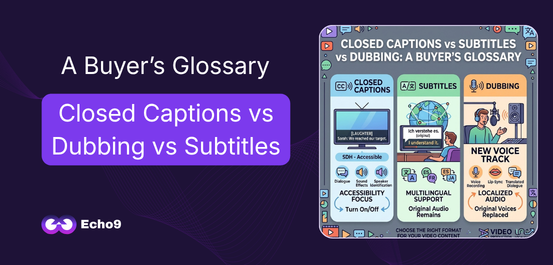
When a video needs to reach more viewers, the first question is often: Should you use closed captions, subtitles, or dubbing? The three options may look similar from a localization perspective, but they solve different problems. Closed captions focus on accessibility and audio information, subtitles primarily help viewers understand dialogue in another language, while dubbing replaces the original spoken audio with a new-language voice track. For broadcasters, OTT platforms, publishers, and media teams, choosing the right format affects accessibility, viewer experience, production effort, localization costs, and delivery requirements. Closed Captions, Subtitles, and Dubbing: What Is the Difference? The easiest way to understand the three formats is to look at what they change and who they are designed to help. Closed captions provide text for spoken dialogue as well as important non-speech audio, such as music, laughter, or meaningful sound effects. They can usually be turned on or off by the viewer. Subtitles primarily present spoken dialogue as text, often translating it into another language for viewers who can hear the original audio but do not understand the language being spoken. Dubbing takes a different approach. Instead of asking viewers to read the translated dialogue, the original spoken track is replaced with a new voice track in the target language. So, the choice is not simply about language. It is about the viewer, content type, accessibility requirement, platform, and desired viewing experience. Echo9’s Post-Dubbing QA Agent watches the full episode, not just a line. See it on your last delivery What Are Closed Captions? Closed captions, commonly written as CC, are timed text that represents the audio information viewers need to understand a video. Unlike dialogue-only subtitles, captions can include: For example: «[APPLAUSE]»«Sarah: We have reached our target.» The first line communicates information that a viewer would otherwise hear but may not be able to access. This makes closed captions particularly important for Deaf and hard-of-hearing viewers. They are also useful when viewers are watching content in environments where audio is difficult to hear. The FCC’s closed-captioning requirements make accessibility an important consideration for media organizations. What Are Subtitles? Subtitles are timed text that primarily communicates spoken dialogue to viewers who may not understand the original language. For example, imagine a documentary recorded in English that is being distributed to Spanish-speaking viewers. The original English audio remains, while Spanish dialogue appears on screen. That is a subtitle workflow. Subtitles generally focus on the spoken message, rather than describing every meaningful sound in the video. This distinction matters because a viewer who can hear the original audio may only need a language translation, while a viewer who cannot hear the audio may need additional information through captions. Subtitles for Global Video Distribution Subtitles are widely used for: They can also be produced in multiple languages without replacing the original performance. For content teams working across many markets, this makes subtitles a practical way to expand language coverage while keeping the original audio intact. What Is Dubbing? Dubbing replaces the original dialogue with a new spoken performance in another language. Instead of reading translated text, the viewer listens to the content in their preferred language. A professional dubbing workflow may involve: High-quality dubbing therefore requires more than translation. The translated dialogue may need to fit the timing of the original scene, match the speaker’s delivery, and work naturally with the visuals. For premium content, lip-sync can add another layer of complexity. When Dubbing Makes More Sense Dubbing can be useful when: Closed Captions vs Subtitles vs Dubbing: Quick Comparison Feature Closed Captions Subtitles Dubbing Main purpose Accessibility Language support Audio localization Dialogue included Yes Yes Replaced with translated dialogue Sound effects included Yes, when meaningful Usually no Original sound mix may remain Original voice Usually remains Remains Replaced Viewer reads text Yes Yes No Useful for accessibility Strong Depends on format Not a replacement for captions Best for Accessibility, broadcast, online video Multilingual audiences Fully localized viewing Production complexity Low to medium Medium Medium to high The important point is that these formats are not interchangeable. A dubbed video can still need captions. A subtitled video can still need an accessibility-focused caption track. A broadcast may require captions even when subtitles are not part of the localization plan. When Should You Use Each Format? Choose Closed Captions When Accessibility Is the Priority Use closed captions when viewers need access to dialogue and meaningful audio information. This is especially relevant for: WCAG 2.2 Success Criterion 1.2.2 requires captions for prerecorded audio content in synchronized media, with defined exceptions. W3C also notes that captions should include dialogue and meaningful non-speech information needed to understand the content. Choose Subtitles When Language Is the Main Barrier Subtitles are usually the better choice when viewers can hear the original audio but need the dialogue translated. They work well for: One source video can therefore be adapted for several markets without creating a completely new audio version for every language. Choose Dubbing When the Viewing Experience Should Feel Fully Localized. Dubbing is worth considering when the audience should be able to watch without reading. It can be especially useful for: Worksheet Free Worksheet Model your real per-episode localization cost. A fillable worksheet that puts studio, vendor and Echo9 costs side by side for one season. Get the Worksheet Conclusion Understanding closed captions vs subtitles vs dubbing is more than learning three definitions. For broadcasters, OTT platforms, and content teams, each format serves a different audience and production goal. Closed captions help make audio content accessible. Subtitles remove language barriers while preserving the original audio. Dubbing creates a more immersive localized experience by replacing the spoken dialogue. The best choice depends on the video’s audience, platform, language requirements, accessibility needs, production timeline, and distribution strategy. For teams producing video at scale, the strongest workflow is one that treats captioning, subtitling, dubbing, timing, terminology, and quality control as connected parts of video localization. When those decisions are made early, content becomes easier to distribute, easier to localize, and more useful
Subtitle File Format Guide SRT vs VTT vs CSV
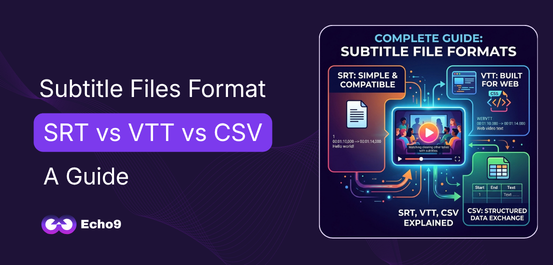
A subtitle file may look like a simple text document, but it contains the information a video player needs to display dialogue at the right moment. For localization teams, broadcasters, content creators, and streaming platforms, choosing the right subtitle file format can make the difference between a smooth delivery and unnecessary technical issues. Among the most commonly encountered formats are SRT, VTT, and CSV. Each one serves a different purpose. SRT is widely used for basic subtitle delivery, VTT is designed for web-based video and supports richer cue features, while CSV is better understood as a structured data format that can be used to exchange subtitle-related information rather than a standard subtitle format itself. Understanding these differences helps teams prepare files correctly, avoid compatibility problems, and build more reliable localization workflows. What Is a Subtitle File? A subtitle file contains timed text that tells a video player what to display and when to display it. Instead of permanently adding text to the video itself, subtitles are normally stored separately and synchronized with the video’s timeline. A typical subtitle file contains three important elements: the text, the timing information, and the structure required by the selected format. Timing tells the player when a subtitle should appear and disappear, while the text provides the dialogue or other relevant information viewers need. For localization teams, subtitle files are especially important because the same video may need to be delivered in several languages. Each language version can have its own subtitle file while using the same source video. The format becomes important at the delivery stage. A file that works perfectly in one platform may need to be converted or adjusted before it can be used somewhere else. That is why knowing the differences between SRT, VTT, and CSV is useful for anyone working with multilingual video content. See this on your own episode. One scene, one language, 30 minutes with an engineer. Book a Consultation SRT: The Most Common Subtitle Format SRT, short for SubRip Subtitle, is one of the most widely recognized subtitle formats. Its simple structure makes it easy to create, edit, and process across many subtitle tools and video workflows. An SRT file normally contains a sequence number, a start and end time, and the subtitle text. Each subtitle entry is separated from the next one by a blank line. A simplified SRT entry looks like this: The comma used in the timecode is one of the familiar characteristics of SRT files. Because the structure is straightforward, SRT remains a practical choice for many basic subtitling and localization tasks. Why Teams Still Use SRT SRT works well when the primary requirement is accurate, timed subtitle text without complex positioning or web-specific styling. Its biggest advantage is simplicity. Editors can open an SRT file in a text editor, subtitle software, or localization platform and quickly understand how the file is structured. For a single video, training material, interview, or basic localized version, that simplicity can make production easier. The format is also widely supported, which reduces compatibility concerns across many common video workflows. However, SRT has limitations. It does not provide the same range of web-focused features available in WebVTT. When teams need more control over subtitle positioning, styling, or browser-based video behavior, another format may be more appropriate. VTT: Built for Web Video VTT, or WebVTT (Web Video Text Tracks), was designed for displaying timed text alongside web video. The format is closely associated with HTML5 video and the <track> element, making it particularly useful for browser-based video experiences. A WebVTT file begins with the WEBVTT header and then contains timed cues. According to the official W3C WebVTT Specification, its structure can support subtitles, captions, chapters, and other time-aligned metadata blocks. A basic VTT example looks like this: Notice the difference in the time format. VTT commonly uses a period before the milliseconds, while the example SRT structure uses a comma. Beyond timing, WebVTT can support additional cue information and presentation-related features. That flexibility makes it useful for websites, online learning platforms, streaming experiences, and other browser-based video environments. CSV: Useful for Subtitle Data and Workflows CSV, or Comma-Separated Values, is different from SRT and VTT. CSV is not primarily a subtitle playback format. Instead, it is a structured way of storing information in rows and columns. Subtitle teams may use CSV files to organize or exchange subtitle-related data such as timestamps, speaker information, language versions, or translation content. For example, a CSV workflow might contain columns such as: This structure can be useful when subtitle data needs to move between spreadsheets, databases, localization systems, or custom processing tools. The important distinction is that a CSV file usually needs another system or process to interpret its information as subtitles. You generally would not upload an ordinary CSV file to a video player and expect it to behave like an SRT or VTT file. That makes CSV particularly useful for data management and workflow exchange, while SRT and VTT are intended for timed-text delivery. SRT vs VTT vs CSV: Key Differences Feature SRT VTT CSV Main purpose Subtitle delivery Web video text tracks Structured data exchange Common use Video subtitles Web video and captions Subtitle data/workflows Timecodes Yes Yes Can store them as data Web-focused Limited Yes No Easy to edit manually Yes Yes Yes Browser video support Depends on platform Strong Requires processing Rich cue features Limited More flexible Depends on workflow The simplest way to remember the distinction is this: SRT is a practical subtitle format, VTT is a web-oriented timed-text format, and CSV is a data format that can organize subtitle information. For a deeper understanding of how subtitles fit into localization, explore Types of Video Localization and What Is Media Localization. Which Subtitle Format Should You Choose? Selecting a format should start with the delivery environment, not simply the file extension. If a client specifically requests an SRT file, delivering a VTT file instead may create an unnecessary compatibility problem. Likewise, a web development workflow may
How to Build a Video Localization Workflow for Your Team
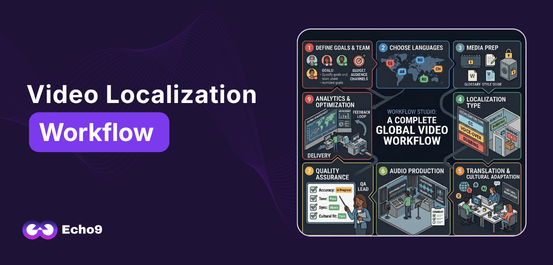
Video content is no longer limited to one language or one market. Creators, educators, brands, and media teams now reach audiences in many countries, and a clear video localization workflow is what makes that growth manageable. But localizing a video is more than translating its dialogue. A complete video localization process can include transcription, translation, subtitles, dubbing, cultural adaptation, quality checks, and final delivery. Without a clear workflow, these tasks quickly become difficult to manage. Files get mixed up, terminology changes between videos, reviews take longer, and teams spend more time fixing mistakes than creating new content. This guide walks through the localization workflow steps your team needs, from planning to delivery, so you can build a process that is simple to start and easy to scale. What Is a Video Localization Workflow? A video localization workflow is the step-by-step process a team follows to adapt video content for a new language, culture, or market. It usually covers planning, transcription, translation and adaptation, subtitles or dubbing, quality review, and delivery, repeated consistently for every video. The exact steps depend on the content. A YouTube creator may only need subtitles and translated titles and descriptions, while an edtech company may need subtitles and dubbing across several languages. Either way, the goal is the same: a process that is clear, repeatable, and easy to manage. Why Your Team Needs a Localization Workflow Without a structured workflow, localization becomes a collection of disconnected tasks. One person handles translation, another manages dubbing, and a third reviews subtitles. If they don’t share the same guidelines, inconsistencies appear. This is a common problem even for experienced localization teams. Text content often moves through mature systems with translation memory, glossaries, and QA gates. Video, however, is frequently handled outside that system, with separate vendors, unfamiliar file formats, and timelines that don’t align with anything else. A proper workflow brings video into the same organized process as the rest of your global content. A good workflow helps your team keep files organized, reduce repeated work, track progress, make reviews easier, and maintain quality across every language. Step 1: Define Your Goals and Your Team Before starting, decide why you are localizing. Ask yourself: Next, decide who owns each stage. Most teams need: On a small team, one person may hold several roles. What matters is that every stage has a clear owner and a clear handoff to the next person. Step 2: Choose Your Target Languages and Markets Do not choose languages just because they are popular. Look at where your existing viewers are, which markets fit your business goals, and what your budget allows. Start small. Pick one or two languages and localize your highest-performing content first. Once the workflow runs smoothly, add more languages and more videos. This lets you fix process problems early, when they are cheap to fix. Each language also brings its own requirements: Making these decisions at the start prevents costly rework later. Step 3: Prepare Your Content and Language Assets Give your team everything they need before work begins: Then build your language assets. These are what make a localization process repeatable: For episodic content, these assets matter even more. Echo9 is built around treating series as connected content rather than separate files, so decisions made in episode one carry forward to episode forty. Step 4: Choose Your Level of Localization Not every video needs the same treatment. The right level depends on your content, audience, budget, and timeline. Echo9’s guide to subtitling vs dubbing covers the trade-offs in detail. Level What’s included Best for Subtitles only Translated on-screen dialogue Broad reach, tight budgets, informational content Subtitles + on-screen text Subtitles plus localized titles, graphics, and captions Marketing videos, tutorials, courses Voice-over Translated narration over reduced original audio Documentaries, interviews, training Full dubbing with lip-sync Replaced dialogue matched to mouth movement Drama, children’s content, entertainment Many teams combine levels, using subtitles for broad global distribution and reserving dubbing for priority markets where deeper engagement matters most. Also consider accessibility. Subtitles for the deaf and hard of hearing (SDH) include sound cues and speaker labels, and many platforms and clients require them. Free Trial Run one episode through the full pipeline. All eight stages on your own content — upload to broadcast-ready audio. No credit card, no managed-service queue. Start a Free TrialBook a Consultation Step 5: Transcribe, Translate, and Adapt Every localization starts with an accurate transcript, because errors here repeat in every language. AI speech recognition makes transcription fast, but a quick human check is worth it, especially for names and technical terms. Next comes translation and adaptation. A word-for-word translation may be grammatically correct but still sound unnatural. Good localization considers context, tone, humor, cultural references, and character personality. A joke that works in English may need to be rewritten so the same feeling lands with the new audience. Names, places, and brand references may also need adjusting so they are recognizable to local viewers. Don’t forget on-screen text. Titles, captions, signs, and graphics need localizing too, and they are among the most commonly missed items. For subtitles, follow readability standards: keep lines short, respect reading speed, and make sure each subtitle stays on screen long enough to read. Public references like the Netflix Timed Text Style Guide are a useful benchmark. Step 6: Add Voice and Timing For dubbing, teams need to consider character voice, tone, emotion, speaking speed, pauses, and lip-sync. Voice consistency is especially important for series. If a character sounds different in every episode, audiences notice quickly. This is where AI video localization adds the most value at scale. Using Echo9, one studio ran a 40-episode drama in four languages and kept its lead character’s voice consistent from the first episode to the last. Translated lines also need to fit the original timing. Because some languages run longer or shorter than the source, lines often need to be rephrased so they match the speaker’s pace and mouth movements without losing meaning. If you use
How Many Languages Should You Localize Your Content Into?
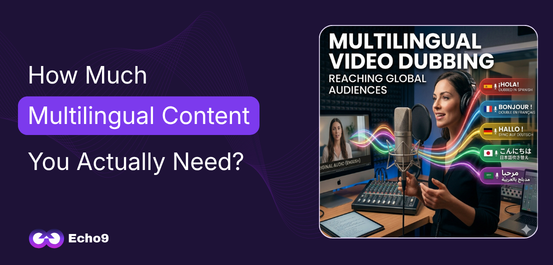
Publishing content online means reaching audiences across countries, cultures, and languages. Yet many companies still produce videos, courses, and media content in a single language, limiting their ability to scale globally. This raises an important strategic question: how many languages should you actually localize your content into? The answer depends on multiple factors such as audience distribution, market potential, platform growth strategy, and production capacity. For organizations producing multilingual content, the goal is not simply translating everything into as many languages as possible. The real objective is making informed language selection decisions that maximize reach while maintaining operational efficiency. At the same time, a more fundamental question needs to be addressed first: how much multilingual content do you actually need? This guide explores both sides of the problem. It explains the benefits and rewards of multilingual content, how to determine the right number of languages, and how platforms like Echo9 make large-scale localization operationally feasible. Why You Should Localize Content into Multiple Languages The internet is global, but language remains the biggest barrier to access. Even though English dominates online content, the majority of internet users are non-native English speakers. Studies consistently show that over 75% of users prefer consuming content in their native language, even when they understand English. This creates a clear gap between content availability and audience preference. Localizing content into multiple languages addresses this gap directly. It allows organizations to: When content is presented in a viewer’s native language, comprehension improves. Emotional connection also becomes stronger. This is particularly important for video content where tone, delivery, and nuance play a critical role. In practical terms, language determines whether your content is accessible or invisible. The Real Benefits of Multilingual Content Localization is often treated as a technical step in production. In reality, it is a growth strategy. Expanding into multiple languages creates measurable advantages across distribution, engagement, and monetization. 1. Audience Expansion Without New Content Creation Producing new content is expensive and time-consuming. Localization allows companies to extract more value from existing content. A single video can reach entirely new audiences simply by adding subtitles or dubbing in additional languages. This multiplies the impact of every piece of content already created. 2. Higher Engagement and Retention Viewers are more likely to watch content fully when it is in their native language. Localized content improves: This directly impacts platform algorithms, which prioritize content with stronger engagement signals. 3. Improved Monetization Opportunities Different markets have different revenue dynamics. By expanding language coverage, companies can access: For example, Spanish and Portuguese localization alone can unlock access to hundreds of millions of viewers across Latin America. 4. Competitive Advantage in Global Markets Many companies delay localization due to cost or complexity. Early adopters gain a clear advantage. Localized content allows businesses to: In global content distribution, timing matters. Localization accelerates market entry. 5. Stronger Brand Trust and Cultural Relevance Language is closely tied to culture. When content reflects a viewer’s language, it feels more relevant and credible. This is particularly important for: Localization helps brands communicate more effectively across regions without losing meaning. Before deciding on multilingual content you should clear your understanding about localization. Read here: What is media localization? Why Not Localize into Every Language? If localization offers so many benefits, why not translate content into every possible language? The answer lies in operational constraints and diminishing returns. Localization involves cost, coordination, and quality management. Expanding into too many languages too quickly can result in: This is why language expansion must be strategic. The goal is not maximum language coverage. The goal is maximum impact per language. How Many Languages Should You Start With And How To Determine Them? Most organizations begin with a focused set of 5 to 8 languages. This range allows companies to: A typical starting set includes: These languages collectively represent a large share of global internet users and provide strong coverage across key regions. As performance data becomes available, additional languages can be added in phases. Step 1: Use Audience Data for Language Selection Effective language selection begins with understanding where your audience already exists. Most platforms provide analytics showing geographic distribution of viewers. These insights often reveal immediate opportunities. For example: If significant traffic comes from non-English regions, localization should prioritize those languages first. This ensures that multilingual content aligns with actual demand. Step 2: Align Language Selection with Revenue Goals Audience size alone is not enough. Businesses must also consider market value. Different regions offer different monetization potential. For example: A training platform may prioritize European languages, while an entertainment platform may focus on high-population regions. Balancing reach and revenue leads to a more sustainable localization strategy. Step 3: Match Language Strategy to Content Type The number of languages you should localize into depends heavily on the type of content you produce. Educational Content: Courses benefit from wide distribution. Localization into 10 to 20 languages can significantly increase accessibility and long-term value. Entertainment and Series Content: Episodic content requires consistency across episodes. Voice continuity and terminology alignment become critical. This increases the importance of structured workflows. Marketing and Corporate Content: These typically focus on specific regions where business operations exist. Localization is more targeted rather than global. Understanding content type helps define how aggressively multilingual content should expand. The Hidden Challenge of Scaling Multilingual Content As the number of languages increases, complexity grows rapidly. Common challenges include: These issues are especially visible in series-based content. For example, if a character’s voice or name changes between episodes in different languages, it disrupts the viewing experience. Maintaining consistency across languages is one of the biggest challenges in large-scale localization. How Echo9 Enables Scalable Multilingual Content Modern AI-based platforms reduce the operational burden of localization. Echo9 is built to support organizations managing multilingual content at scale. The platform allows teams to: Instead of treating each video as a separate task, Echo9 introduces a structured system that supports continuous localization. This makes it possible to expand into multiple languages without significantly increasing production time.